How to invest in a Private Credit fund
Published: Jul 15, 2026
With verified accredited or eligible investor status, you can invest in Private Credit funds directly on Questrade.
Before you start
You must be a verified accredited or eligible investor. If not verified yet, see How to get verified as an accredited or eligible investor.
You need a self-directed individual Cash, Margin, RRSP, or TFSA account. Questwealth Portfolios and other managed accounts are not eligible. Account eligibility may vary by fund.
Private Credit is available on the web only.
Your account must have sufficient CAD buying power. We do not automatically convert US cash for these investments.
Orders must be submitted before 1:00 PM ET. Orders placed after 1:00 PM are processed the following business day.
Investment Steps
1. Log in to Questrade web.
2. Navigate to Products > Private Markets > Private Credit.
3. Select a fund and review its strategy, fees, and requirements.
4. Click Invest now and pick an eligible account.
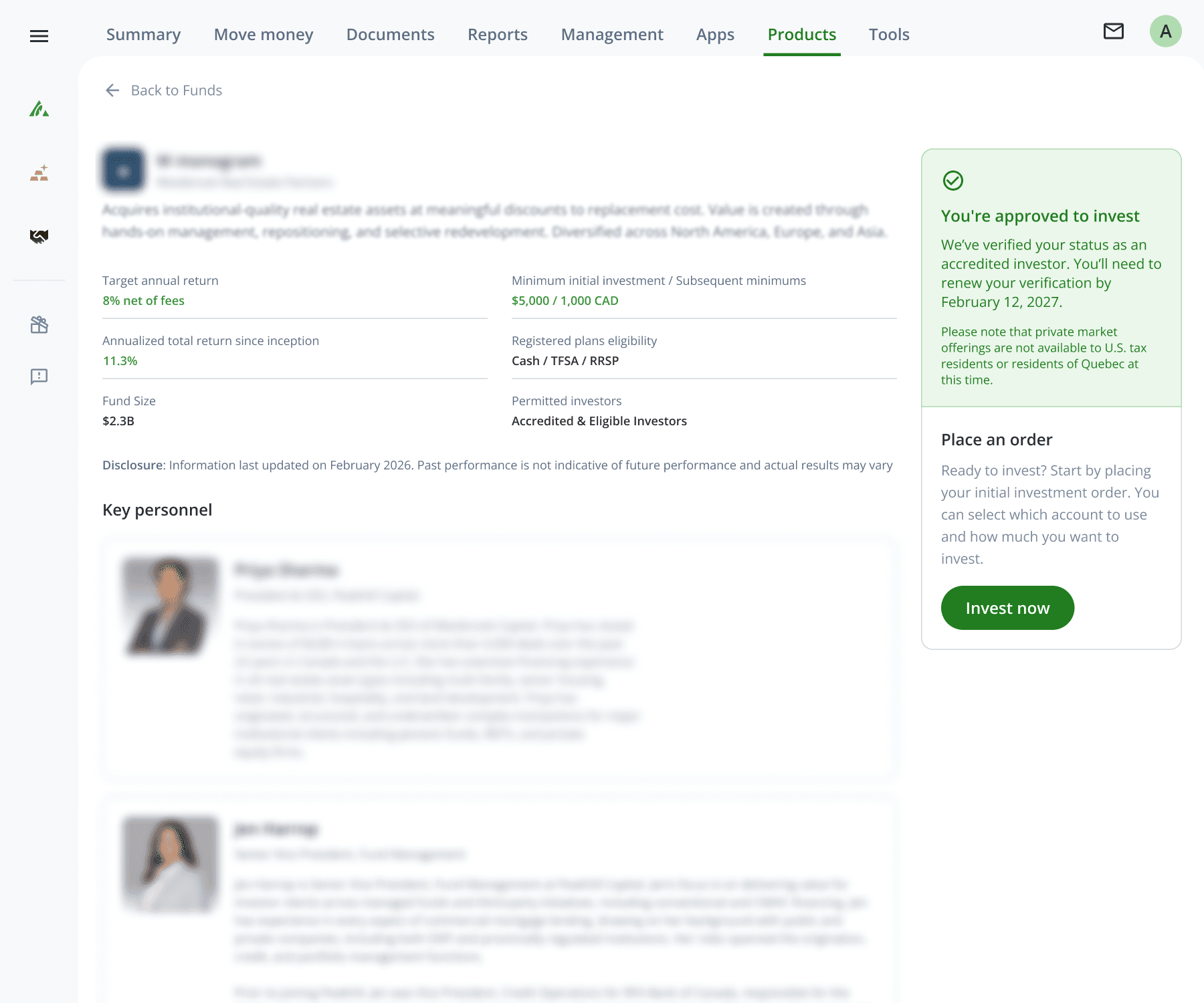
5. Enter the amount or units and choose a distribution preference–reinvest (DRIP) or cash.
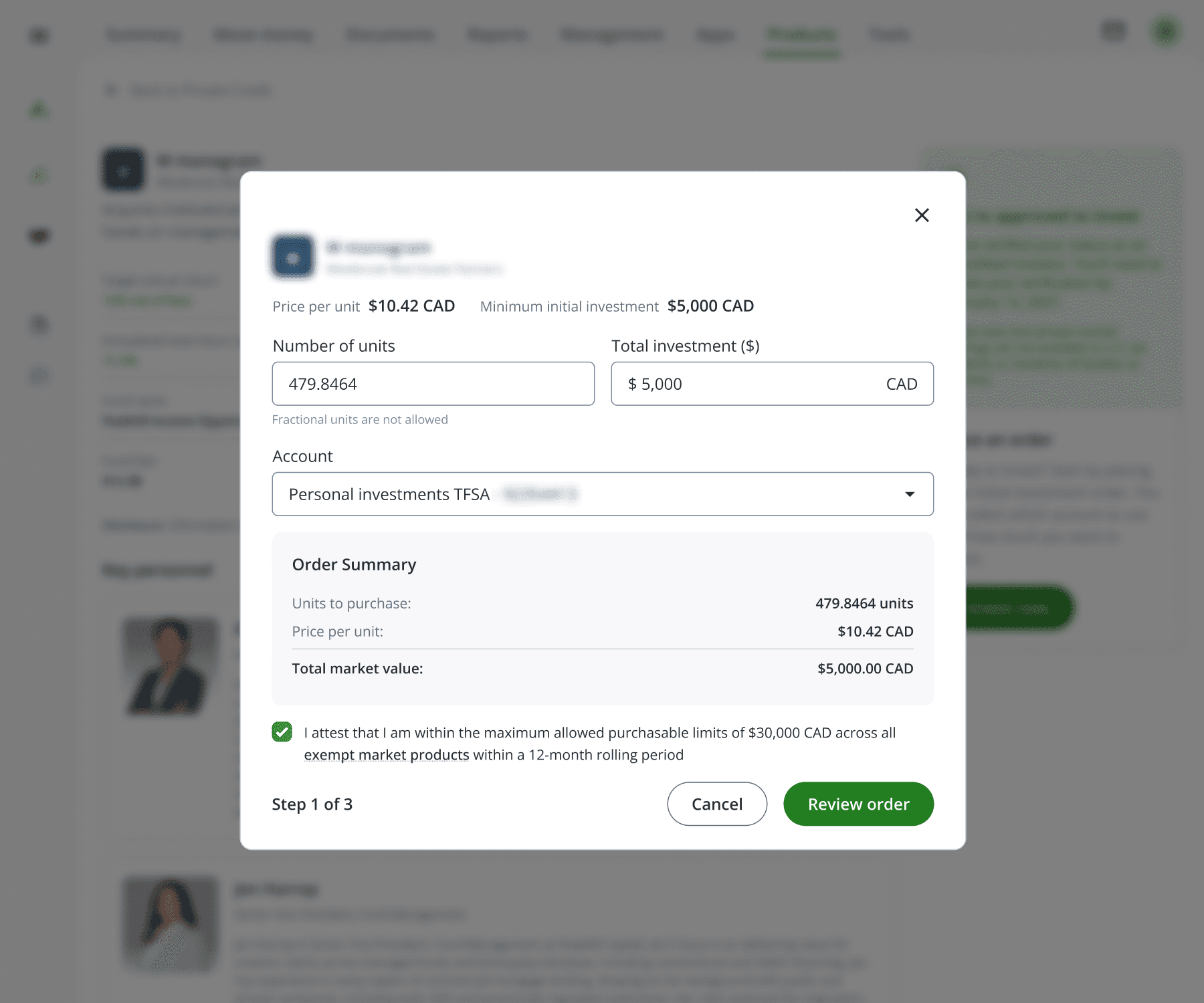
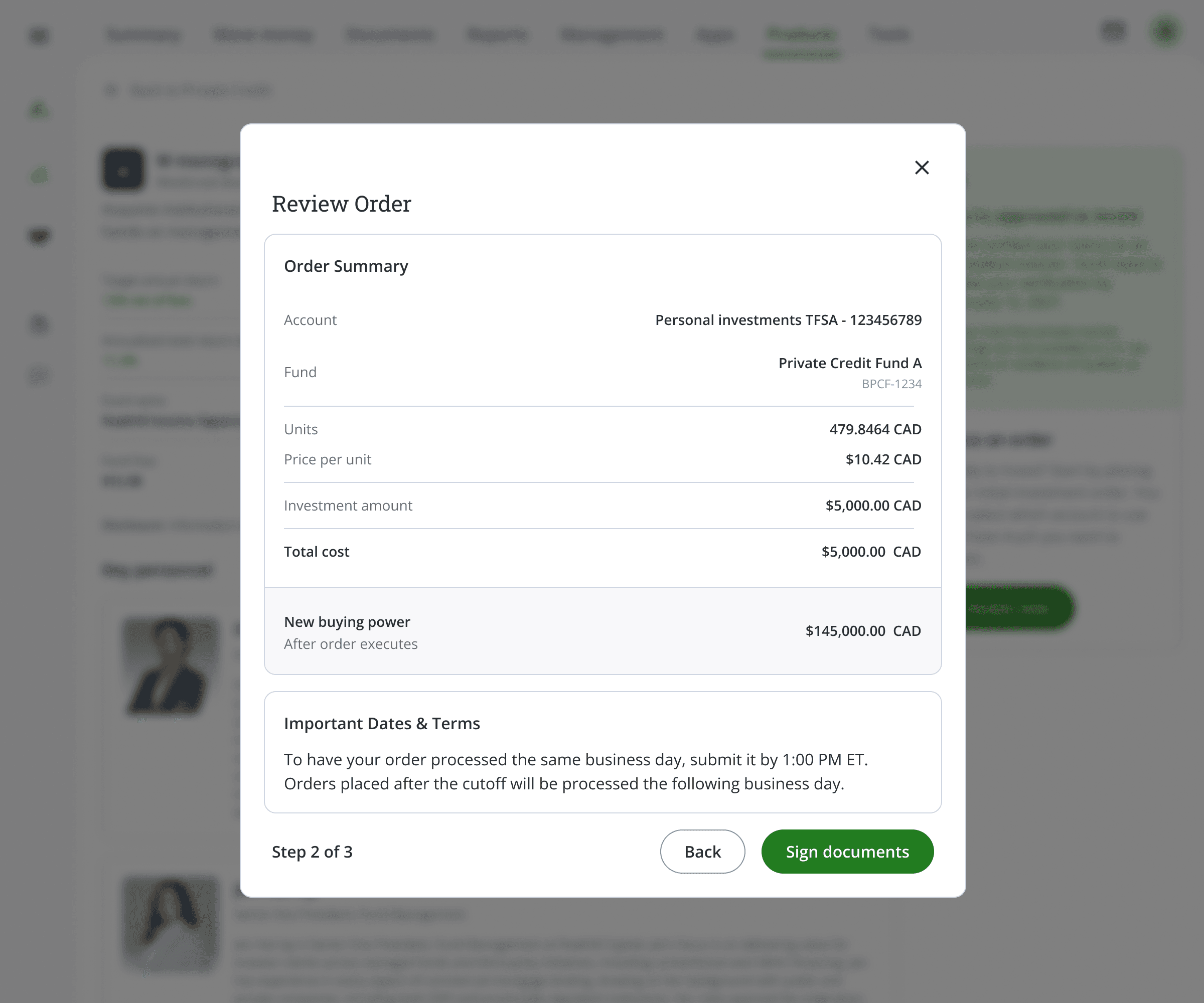
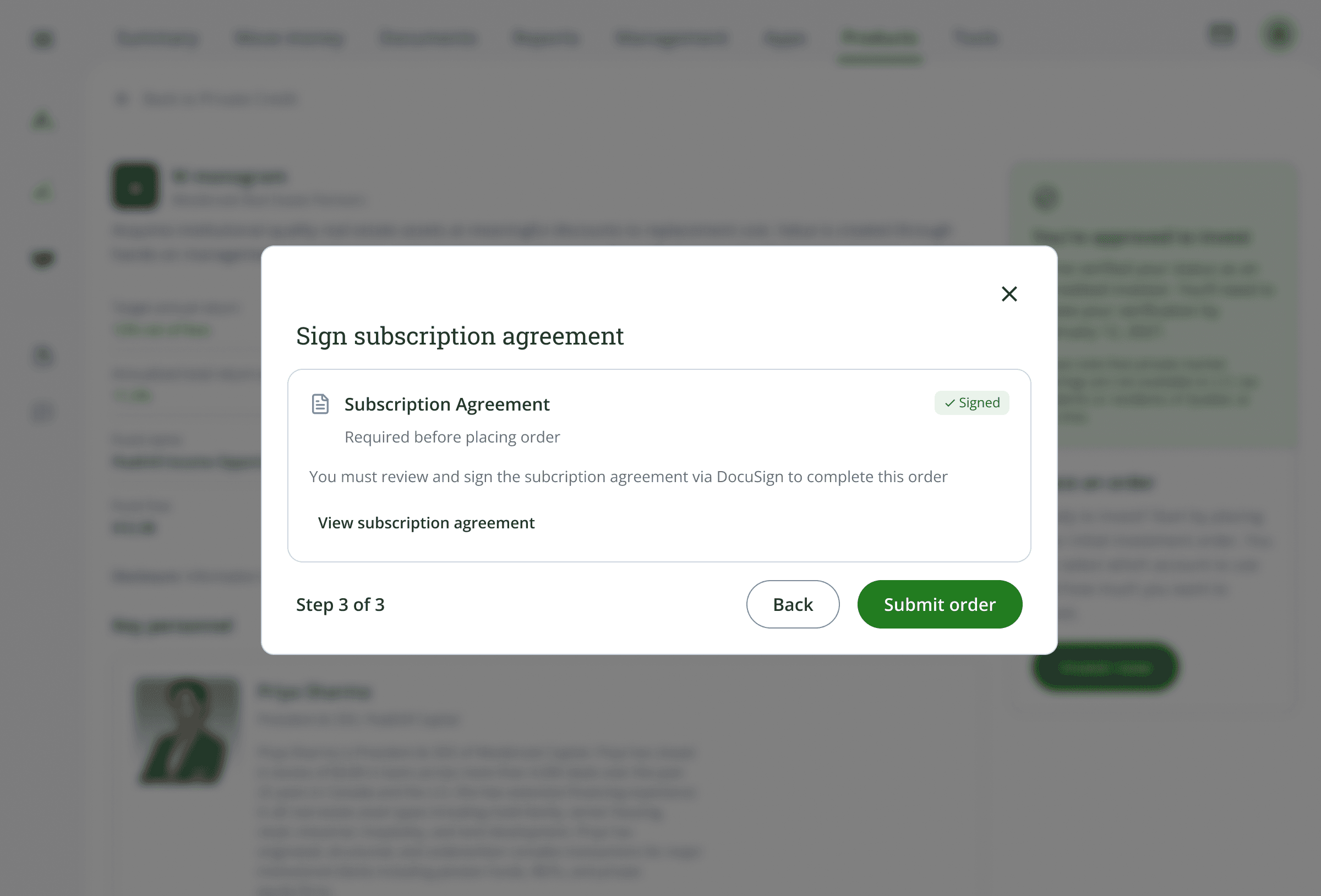
6. Review your order summary and sign the required agreements.
7. Submit the order.
Note: Your order must meet the fund's minimum investment. If this is your first purchase of this fund, the initial minimum applies. Subsequent purchases have a lower minimum. The minimums are shown on the fund page.
Order statuses
After you submit, your order moves through these stages:
Status | Definition |
|---|---|
Pending approval | Order has been received by Questrade and is pending Questrade approval |
Approved | Order has been approved by Questrade, pending submission to fund |
Rejected | Order has been rejected by Questrade or the fund |
Submitted to fund | Order has been submitted to the fund, pending execution |
Executed | Order has been filled / executed |
Canceled | Order has been cancelled by the user |
Canceling an order
Cancel pending orders on the fund page before 1:00 PM ET
After 1:00 PM, contact the Trade Desk by email to request a cancellation. If the order has already been processed, cancellation may not be possible.
Redeeming (selling) your investment
Go to your account positions (web only).
Select your Private Credit fund holding.
Select Sell.
Select the account and enter the number of units to sell.
Review the redemption details, including any early redemption penalty and the expected payout date.
Confirm and submit.
Redemption schedules vary by fund. Some funds offer quarterly redemption windows with advance notice requirements (for example, 90 days). Early redemptions may incur penalties. The specific schedule and deadlines are shown on the fund page, fund documents and in the order confirmation.
Note: Unlike public securities, Private Credit redemptions are not instant. Settlement timing depends on the fund's redemption schedule and notice period. Check the fund page for specific dates.
Troubleshooting
You cannot find Private Credit in your account
Private Credit is available on the web only. Log in through your browser at www.questrade.com. It is not available in the Questrade mobile app.
The fund shows you are not eligible
Your investor status may not match the fund's requirements. If you are an eligible Investor trying to access an accredited-only fund, you can re-verify with updated financial information. Select the option to verify again from the popup.
Your order is rejected
This usually means your account does not have enough buying power. Fund the account or select a different account with sufficient balance.
You exceeded the investment limit
Eligible investors have a $30,000 trailing-twelve-month cap across all exempt market products. The remaining room is calculated from your purchase history at Questrade. Reduce your order amount to fit the remaining limit.
Ready to invest? Browse Private Credit funds (opens in a new tab)
Don't have an account yet? Open an account